When you’re deploying modern web applications, it’s easy to get spoiled by the automated security and containerized isolation of premium cloud platforms. But let’s be real — sometimes a project’s budget strictly dictates deploying on traditional shared cPanel hosting.
Shared hosting environments share server resources (and IP addresses) with hundreds of other users. If one tenant gets compromised, a poorly configured server can put your application at risk. While you don’t have root access to configure the underlying server firewall, there is still plenty you can do to lock down your application.
Here is a practical guide to securing your web application on a shared cPanel environment.
1. Escape the public_html Trap
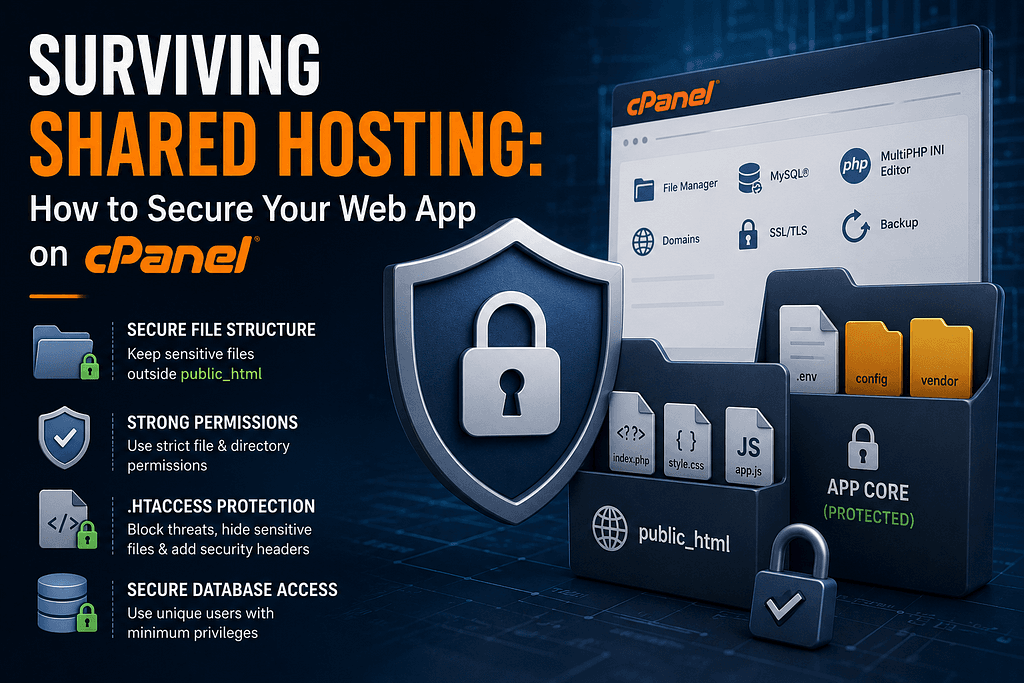
The biggest mistake developers make on shared hosting is dumping their entire application repository directly into the public_html (or www) directory. This exposes your environment variables, configuration files, and core application logic to the public web if the server ever misinterprets a file extension.
- Keep only your publicly accessible assets (like index.php, CSS, JavaScript, and images) inside public_html.
- Place your core application files, vendor folders, and .env files in a directory above public_html.
- Update your index.php entry point to require the application bootstrap file from the secure, non-public directory.
2. Lock Down File and Directory Permissions
In a shared environment, incorrect file permissions are an open invitation for cross-site contamination. You want to grant the web server exactly the minimum permissions it needs to serve your site, and absolutely nothing more.
Use the cPanel File Manager or SSH to audit your permissions based on these strict standards:

3. Harden Your Application with .htaccess
Since you lack access to the main Apache or Nginx configuration blocks, the .htaccess file is your primary defense perimeter. You can use it to block malicious traffic before it ever hits your application code.
Add the following safeguards to your .htaccess file in the public_html directory:
- Disable Directory Browsing: Prevent attackers from viewing a list of your files if an index file is missing by adding Options -Indexes.
- Block Sensitive Files: Prevent direct access to sensitive file extensions (like .env, .ini, or .log) with a strict FilesMatch directive.
- Implement Security Headers: Force modern browsers to protect your users by injecting headers like Strict-Transport-Security, X-Content-Type-Options, and X-Frame-Options.
4. Tame the PHP Configuration
Many shared hosts allow you to customize your PHP environment via a .user.ini file, a php.ini file, or directly through the "MultiPHP INI Editor" in cPanel. Default PHP configurations are built for maximum compatibility, not maximum security.
Crucial Adjustments:
Always turn display_errors to Off in production to prevent stack traces from revealing your database credentials or directory structure.
Furthermore, aggressively disable dangerous PHP functions that your application does not explicitly need. By updating the disable_functions directive, you can prevent attackers from executing remote code even if they manage to upload a malicious script. Common functions to disable include exec, passthru, shell_exec, system, and proc_open.
5. Isolate Your Database Privileges
It is a common anti-pattern to use a single master database user for every application hosted on your cPanel account. If one application is compromised, the attacker instantly gains access to every other database.
- Create a unique MySQL database for every individual application.
- Create a unique database user for every database.
- Assign only the necessary privileges to that user. Most web applications require SELECT, INSERT, UPDATE, and DELETE. They rarely need structural privileges like DROP or GRANT after the initial migration process is complete.
Tags: #WebHosting #cPanel #WebSecurity #WebDevelopment #PHP #ServerAdministration