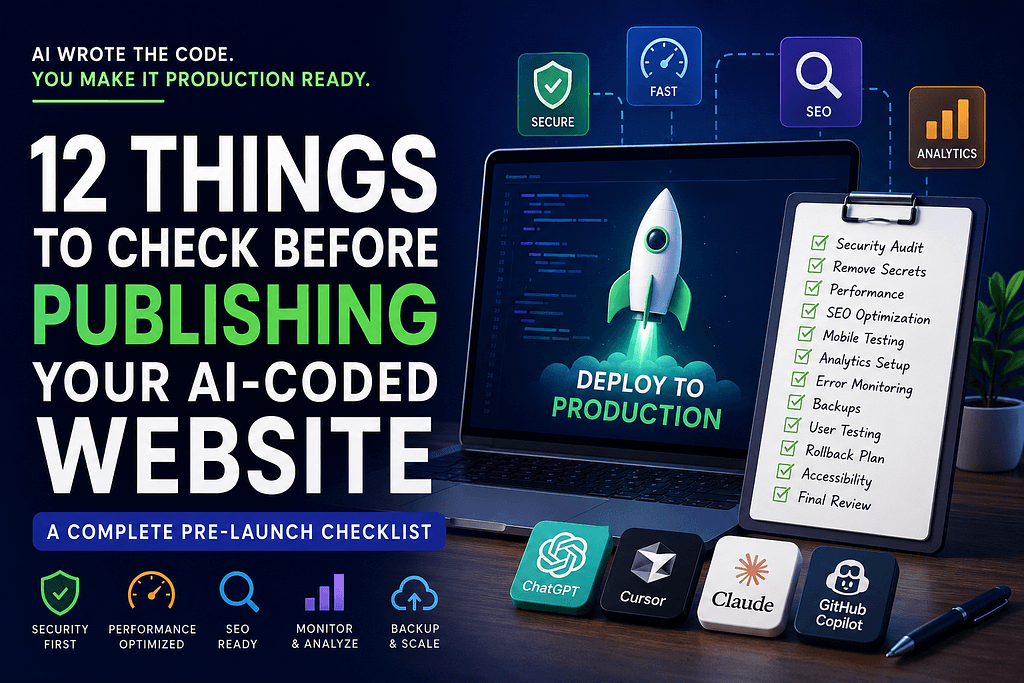
Built a website using ChatGPT, Cursor, Claude, or GitHub Copilot? Learn the 12 critical security, SEO, performance, and deployment checks every developer should complete before going live.
AI coding tools like ChatGPT, Claude, GitHub Copilot, Cursor, and Gemini are changing software development forever.
Today, you can build a complete website, SaaS product, landing page, eCommerce store, or web application in hours instead of weeks. AI can generate frontend code, backend APIs, database schemas, authentication systems, and even deployment configurations.
But after building several AI-assisted projects, I learned something important:
The fastest way to build a website is also the fastest way to launch bugs, security vulnerabilities, SEO issues, and performance problems.
A website that works on your laptop is not necessarily ready for production.
If you’re using AI to build websites, startups, SaaS products, or client projects, here are the critical steps you should take before deploying to production.
Why AI-Generated Code Is Not Production Ready
AI is excellent at generating code patterns, but it doesn’t fully understand:
- Your business requirements
- Security policies
- Scalability needs
- SEO strategy
- Legal compliance
- Real-world user behavior
Many developers make the mistake of treating AI output as finished code.
Instead, think of AI as an incredibly fast junior developer that still needs review.
1. Perform a Complete Security Audit
One of the biggest risks of AI-generated code is security.
AI models often generate code that works but isn’t secure enough for public use.
Check for:
- Hardcoded API keys
- Exposed database credentials
- Missing authentication checks
- Weak password validation
- Insecure file uploads
- SQL Injection vulnerabilities
- Cross-Site Scripting (XSS)
- Missing rate limiting
A single exposed API key can lead to thousands of dollars in unexpected cloud costs.
High-Value Security Tools
- OWASP Top 10
- Snyk
- SonarQube
- npm audit
- Dependabot
Before launch, assume attackers will try to break your application.
2. Remove Every Hardcoded Secret
This is one of the most common mistakes AI tools make.
Search your codebase for:
- API Keys
- JWT Secrets
- SMTP Passwords
- Database URLs
- AWS Credentials
- OpenAI API Keys
- Stripe Keys
Store everything in environment variables.
Many startups accidentally expose sensitive credentials through GitHub repositories and lose access to critical services.
3. Optimize Website Speed
Website speed affects:
- SEO rankings
- Conversion rates
- User experience
- Ad performance
Google continues to prioritize fast websites in search results.
Performance Checklist
✓ Compress images
✓ Use WebP or AVIF formats
✓ Enable lazy loading
✓ Minify CSS and JavaScript
✓ Remove unused packages
✓ Reduce API requests
✓ Optimize database queries
✓ Enable CDN caching
Run audits using Google Lighthouse and PageSpeed Insights before every launch.
4. Fix Technical SEO Before Deployment
Most AI-generated websites completely ignore SEO.
Without proper SEO, even a beautiful website may never rank on Google.
Essential SEO Elements
- SEO-friendly URLs
- Meta titles
- Meta descriptions
- Canonical tags
- XML Sitemap
- Robots.txt
- Open Graph tags
- Structured Data
- Image Alt Text
Many developers spend months creating content only to discover search engines cannot properly index their site.
Fix SEO before launch.
5. Test on Mobile Devices
Over 60% of global web traffic now comes from mobile devices.
A website that looks perfect on desktop may be unusable on mobile.
Test:
- Navigation menus
- Contact forms
- Buttons
- Popups
- Checkout pages
- Authentication flows
Always test on actual phones when possible.
Mobile-first testing should be part of every deployment process.
6. Check Every Form and API
Forms are where most production bugs appear.
Test:
- Contact forms
- Newsletter subscriptions
- Login pages
- Registration flows
- Password resets
- Payment forms
Verify:
- Success messages
- Error handling
- Email delivery
- Database storage
Never assume a form works because the UI looks correct.
7. Set Up Analytics From Day One
Many founders launch products without analytics.
That means they have no idea:
- Where users come from
- What pages perform best
- Why visitors leave
- Which marketing campaigns convert
At minimum install:
- Google Analytics 4
- Google Search Console
- Google Tag Manager
Data is one of the most valuable assets your website can generate.
8. Monitor Errors in Production
The real testing begins after deployment.
Production users always find bugs that developers miss.
Use tools such as:
- Sentry
- LogRocket
- Datadog
- New Relic
Monitor:
- JavaScript errors
- API failures
- Server crashes
- Slow database queries
The sooner you detect problems, the less damage they cause.
9. Create Automated Backups
Imagine losing:
- Customer data
- Orders
- Blog posts
- User accounts
Because a deployment failed.
Every production website should have:
- Daily database backups
- Weekly full backups
- Recovery testing
- Rollback procedures
Backups are insurance for your business.
10. Prepare for Traffic Spikes
Many websites fail not because they are poorly built, but because they receive more visitors than expected.
Before launch:
- Enable caching
- Optimize database indexes
- Use a CDN
- Test server capacity
- Implement rate limiting
Traffic should be exciting, not terrifying.
11. Review Accessibility
Accessibility improves:
- User experience
- SEO
- Legal compliance
Check:
- Color contrast
- Keyboard navigation
- Screen reader compatibility
- Form labels
- Image alt text
Accessible websites reach more users and often perform better in search.
12. Create a Rollback Strategy
No deployment is risk-free.
Before launching ask:
“If this breaks in 5 minutes, how do we recover?”
Prepare:
- Previous deployment version
- Database snapshots
- Rollback commands
- Incident documentation
Professional teams don’t just plan launches.
They plan recoveries.
The AI Website Launch Checklist
Before deploying, confirm:
✓ Security Audit Complete
✓ Secrets Removed
✓ SEO Optimized
✓ Mobile Tested
✓ Analytics Installed
✓ Performance Optimized
✓ Error Monitoring Enabled
✓ Backups Configured
✓ Accessibility Checked
✓ Rollback Plan Ready
Final Thoughts
AI is making web development faster than ever.
A solo developer can now build what once required an entire engineering team.
But AI-generated code still requires human judgment.
The websites that succeed are not the ones built the fastest.
They are the ones that are thoroughly reviewed, tested, optimized, secured, and monitored before reaching real users.
Use AI to build faster.
Use experience to deploy smarter.